ANT PC | 23-03-2026 11:45:02

Artificial Intelligence is no longer limited to research labs and large tech companies. Developers, data scientists, researchers, and businesses now build and run AI models locally using powerful computing systems known as AI workstations. These systems provide the computational power required for machine learning training, large language models, data analysis, and real-time inference.
With the growing demand for AI capabilities across industries, understanding how an AI workstation works — and how to build one correctly — has become essential for anyone working with modern AI tools.
This guide explains what an AI workstation is, the hardware required, recommended configurations, and how it compares to cloud computing and AI servers.
What Is an AI Workstation?
An AI workstation is a high-performance computer specifically designed to handle artificial intelligence workloads such as machine learning training, deep learning experimentation, data preprocessing, and real-time inference.
Unlike standard desktop computers, AI workstations prioritize GPU acceleration, large system memory, high-speed storage, and sustained compute performance. These capabilities allow developers, researchers, and data scientists to train models, process large datasets, and run complex AI applications efficiently.
Typical AI workloads performed on an AI workstation include:
Most modern AI frameworks such as PyTorch and TensorFlow rely heavily on GPU acceleration, making the graphics processor the most critical component of an AI workstation.
Typical AI Workstation Hardware
A modern AI workstation generally includes the following core components:
This hardware combination enables AI workstations to efficiently support modern machine learning and deep learning development workflows.
AI Workstation vs AI Server vs Cloud GPUs
Understanding the difference between these computing environments helps determine which solution fits specific AI workloads.
AI Workstation
An AI workstation is a local computing system used by developers or researchers to train models, test algorithms, and perform experiments.
Advantages
Limitations
AI Server
An AI server is designed to support multiple users and large workloads simultaneously. These systems often contain multiple GPUs and operate in enterprise or research environments.
AI servers frequently use professional GPUs such as:
They are typically deployed in data centers or on-premise AI clusters.
Cloud GPUs
Cloud providers offer on-demand GPU resources without requiring hardware ownership.
Examples include:
Cloud GPUs are excellent for scaling workloads temporarily, but long-term costs can become significantly higher than running AI systems locally.
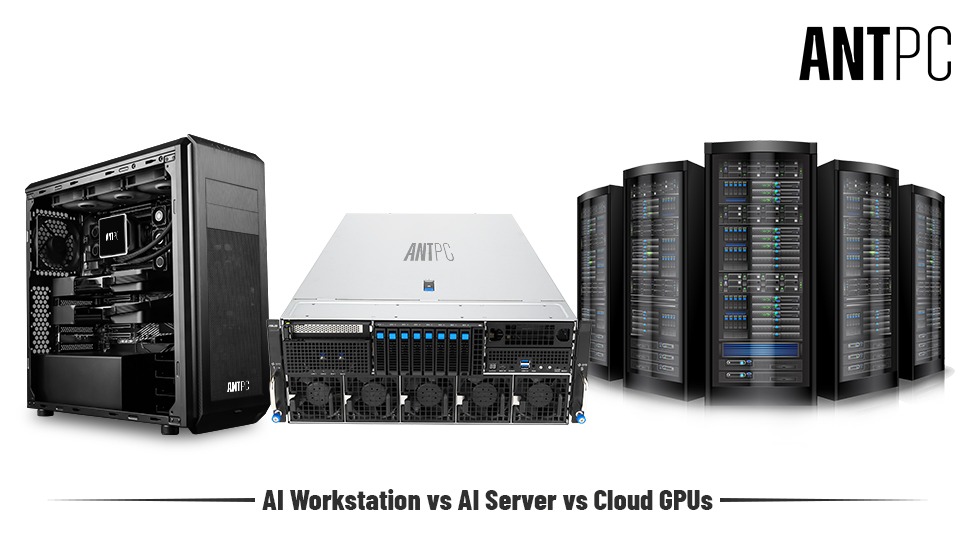
Comparison: AI Workstation vs AI Server vs Cloud GPU
|
Feature |
AI Workstation |
AI Server |
Cloud GPU |
|
Location |
Local desktop system |
Data center rack system |
Remote cloud infrastructure |
|
Users |
Individual developer or researcher |
Multiple users |
On-demand users |
|
GPUs |
1– 4 GPUs |
4 –16+ GPUs |
Scalable GPU clusters |
|
Cost Model |
One-time hardware cost |
Enterprise infrastructure cost |
Pay-per-hour usage |
|
Best Use |
AI development & experimentation |
Enterprise AI training |
Large-scale temporary workloads |
Key Hardware Components of an AI Workstation
Building an AI workstation requires careful hardware selection. Each component contributes to overall performance and reliability.
GPU (Graphics Processing Unit)
The GPU is the core computing engine for most AI workloads. Neural networks require thousands of parallel computations, and GPUs are optimized to handle this type of processing.
Popular GPUs used in AI workstations include:
Consumer GPUs like the RTX 5080 or RTX 5090 offer excellent performance for AI experimentation and model training, while professional GPUs like RTX PRO 6000 provide larger memory capacity and enterprise stability.
Key GPU factors to consider
GPU Memory (VRAM) Requirements for AI Models
GPU memory determines the maximum model size that can be trained or loaded locally.
Approximate VRAM requirements:
|
AI Task |
VRAM Requirement |
|
Small ML models |
8 - 12 GB |
|
Computer vision models |
12 - 24 GB |
|
LLM fine-tuning |
24 - 48 GB |
|
Large model training |
48 GB+ |
For example, GPUs like the RTX 5090 (32GB) are commonly used for training mid-scale models locally.
Professional GPUs such as RTX PRO 6000 (96GB) enable larger datasets and models.
CPU (Central Processing Unit)
While GPUs handle model training, the CPU is responsible for data preparation, preprocessing, and system orchestration.
Recommended CPU options for AI workstations include high-core-count processors such as:
Key CPU considerations:
RAM (System Memory)
AI workloads often involve large datasets that must be loaded into system memory before being processed by GPUs.
Recommended RAM capacities:
|
Use Case |
RAM |
|
AI experimentation |
32 GB |
|
Model training |
64 GB |
|
Large datasets |
128 GB+ |
Large memory capacity prevents bottlenecks when working with massive datasets.
Storage
Fast storage significantly improves dataset loading, preprocessing, and model checkpointing.
Modern AI workstations rely on NVMe SSDs such as:
Recommended storage configuration:
High-speed PCIe Gen4 or Gen5 SSDs reduce training delays caused by slow data access.
Power Supply and Cooling
AI workloads can generate sustained high power consumption.
A workstation with GPUs like RTX 5090 may require:
Proper thermal management ensures stable performance during long training sessions.
Recommended AI Workstation Configurations
Different users require different levels of performance. Below are typical AI workstation configurations.
Entry-Level AI Workstation
Suitable for beginners learning machine learning or running smaller models.
Typical configuration
GPU: RTX 5070 or RTX 5080
CPU: 12–16 core processor
RAM: 32GB
Storage: 1TB NVMe
Best for:
Professional AI Workstation
Designed for data scientists and developers working with larger datasets.
Typical configuration
GPU: RTX 5090
CPU: High-core workstation processor
RAM: 64–128GB
Storage: 2–4TB NVMe
Best for:
Enterprise AI Workstation
Used in research labs or enterprise AI teams.
Typical configuration
GPU: RTX PRO 6000 or multi-GPU setup
CPU: Threadripper PRO or Xeon
RAM: 128–256GB
Storage: Multi-NVMe RAID
Best for:
Common AI Workstation Use Cases
AI workstations are used across multiple industries and research areas.
Machine Learning Development
Developers train and test models locally before deploying them into production.
Computer Vision
Applications include:
Natural Language Processing
Large language models are trained or fine-tuned for applications like chatbots and search systems.
Popular models include architectures similar to those used by GPT and LLaMA.
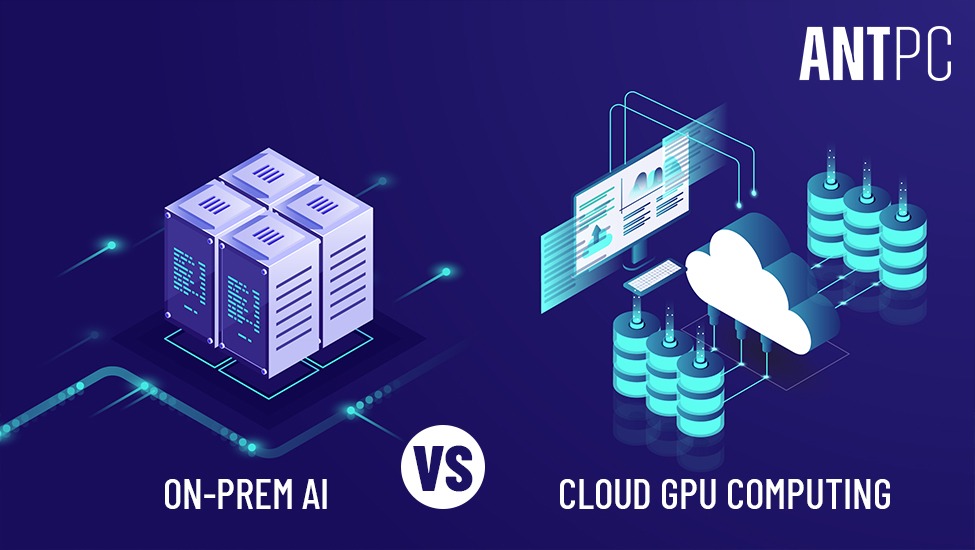
On-Prem AI vs Cloud GPU Computing
Choosing between local AI workstations and cloud GPUs depends on workload size, budget, and operational needs.
Benefits of On-Prem AI Workstations
Benefits of Cloud GPUs
Many organizations adopt a hybrid approach, using local workstations for development and cloud clusters for large-scale training.
Future of AI Workstations
AI workloads are evolving rapidly, and workstation hardware continues to advance to meet these demands.
Future trends include:
New GPU generations such as the NVIDIA Blackwell GPU architecture are expected to significantly increase AI computing performance.
As AI adoption expands across industries, AI workstations will remain essential tools for researchers, engineers, and organizations building intelligent systems locally.
Frequently Asked Questions About AI Workstations
What is the difference between an AI workstation and a gaming PC?
An AI workstation is optimized for machine learning workloads and typically includes larger GPU memory, higher RAM capacity, and workstation-class processors. While gaming PCs focus on graphics performance, AI workstations are designed for sustained compute workloads such as model training.
How much GPU memory is needed for AI workloads?
Most AI tasks require at least 12GB–24GB VRAM. Large language model training and advanced deep learning projects may require GPUs with 48GB or more memory, such as the NVIDIA RTX 6000 Ada.
Can AI models be trained on consumer GPUs?
Yes. Many developers train AI models using consumer GPUs such as the NVIDIA RTX 4090 because it offers strong performance and 24GB of VRAM, which is sufficient for many machine learning workloads.
Is a cloud GPU better than a local AI workstation?
Cloud GPUs provide scalability and instant access to large GPU clusters. However, a local AI workstation offers lower long-term costs, better data privacy, and faster access to local datasets.
How much RAM does an AI workstation need?
AI workstations typically require 64GB or more system memory, especially when working with large datasets or training deep learning models.
Final Thoughts
AI workstations provide the computing power required to develop, train, and deploy artificial intelligence models efficiently. By combining high-performance GPUs, powerful CPUs, large memory capacity, and fast storage, these systems enable developers and researchers to work with increasingly complex AI models.
Whether used for machine learning research, computer vision development, or natural language processing, a well-designed AI workstation offers the flexibility and performance needed to accelerate AI innovation.
Understanding the hardware requirements and selecting the right components ensures that the system remains capable of supporting both current workloads and future AI advancements.
Things to Know Before You Build a PC Online
Computer Workstations by ANT PC
How to Build a Perfect Gaming PC in 2026
Ultimate Guide to Computer Workstations

Find the perfect setup to accelerate innovation in AI and computing.

Our agents and experts are always looking forward to assist you. If you wish to communicate something or facing any issue, please call on our helpline number.
.png)