ANT PC | 06-03-2026 14:17:52

Financial markets no longer operate within traditional office hours. With global stock exchanges, forex markets, commodities, and cryptocurrencies running across different time zones, traders today require uninterrupted access, stable performance, and fast execution. A standard home desktop is not designed for this level of workload. That’s where a properly designed Trading workstation becomes essential.
This guide explains how to build a reliable system that supports continuous operation, multi-monitor workflows, and real-time data processing — without unnecessary complexity or marketing hype.
In gaming, high FPS is the priority. In trading, stability is everything.
A momentary system freeze, network drop, or hardware failure during high volatility can directly impact financial decisions. Unlike casual computing, a Trading PC must:
Operate smoothly for long hours
Handle multiple trading platforms simultaneously
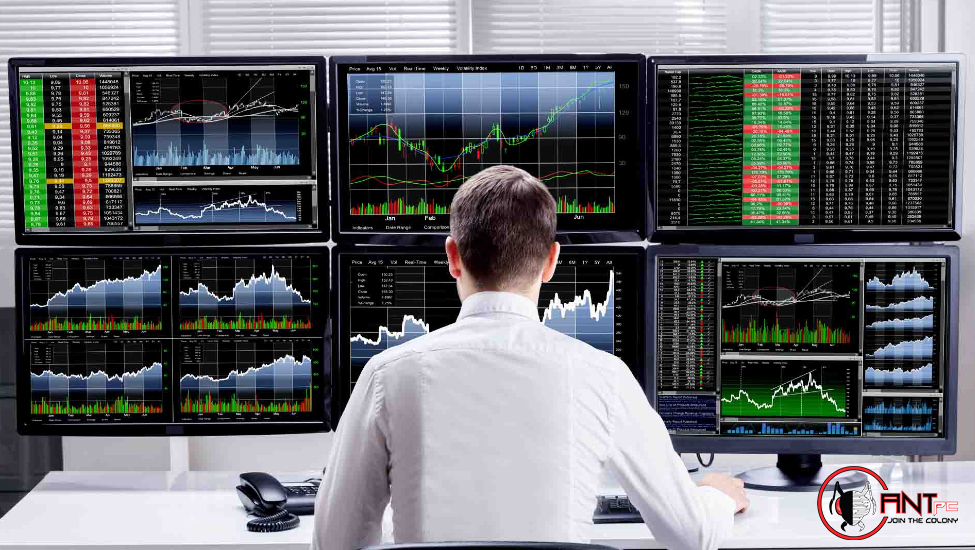
Support multi-screen charting
Maintain stable internet connectivity
Avoid crashes during market volatility
When building a system for 24/7 market access, the focus shifts from flashy specifications to dependable architecture.
Most trading applications are not GPU-heavy but rely on CPU stability and multitasking ability. A modern multi-core processor with strong single-core performance ensures smooth execution of charting tools, data feeds, and browser-based platforms.
For active traders:
6 to 8 cores are sufficient for most manual trading
8 to 16 cores are recommended for algorithmic trading or heavy multitasking
Choose newer-generation architectures for better efficiency and thermal control
The key is consistent performance under sustained load rather than peak benchmark scores.
A typical Trading PC setup includes multiple browser tabs, trading terminals, Excel sheets, analytics tools, and communication apps running simultaneously.
Recommended memory capacity:
16GB for basic trading
32GB for active day traders and derivatives traders
64GB for algorithmic or quantitative strategies
Insufficient RAM leads to lag when switching between charts or platforms, which can affect decision-making speed.
Speed matters when loading platforms and accessing historical data. An NVMe SSD significantly improves responsiveness compared to traditional hard drives.
Ideal configuration:
Primary NVMe SSD (1TB or more) for OS and trading platforms
Secondary SSD for backups and additional storage
Avoid relying solely on HDDs for active workloads
For 24/7 operations, consider SSDs with higher endurance ratings to handle frequent read/write cycles.
Unlike gaming systems, a Trading workstation does not require high-end GPUs. However, it must support multiple displays efficiently.
Many traders operate with:
2 to 4 monitors
Ultra-wide displays
Vertical chart monitors
Choose a GPU or integrated graphics solution that supports your monitor count at the desired resolution. Stability and driver support are more important than gaming performance.
Hardware alone does not define a professional environment. The overall Trading PC setup determines productivity and reliability.
A structured layout helps traders:
Dedicate one screen to charts
Use another for order execution
Monitor news feeds and alerts separately
Track global indices simultaneously
Ergonomics matter. Proper monitor arms, desk space, and viewing angles reduce fatigue during long trading sessions.
For true 24/7 market access:
Use a high-speed broadband connection
Maintain a secondary backup internet source (fiber + 4G/5G)
Consider a reliable router with advanced QoS features
Even the most powerful Trading PC cannot compensate for unstable connectivity.
Power fluctuations can damage hardware and disrupt trades.
A professional setup should include:
A high-quality UPS with sufficient backup time
Surge protection
Proper grounding
For traders operating in regions with inconsistent power supply, this becomes critical.
A Trading workstation often runs for extended hours, especially during earnings seasons or volatile market phases.
Efficient cooling ensures:
Stable CPU temperatures
Reduced risk of thermal throttling
Longer hardware lifespan
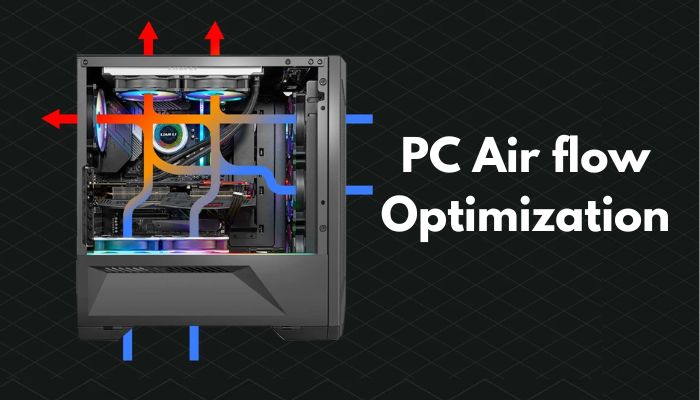
Use cases with strong airflow and quality cooling solutions. Silence is also important — excessive fan noise can reduce focus.
Performance is not just hardware-dependent.
Best practices include:
Keeping the operating system updated
Disabling unnecessary startup programs
Regularly updating trading platforms
Scheduling routine backups
A clean and optimized system minimizes background resource consumption.
Financial systems demand higher security standards.
Key measures:
Use reliable antivirus and firewall protection
Enable two-factor authentication for trading accounts
Keep sensitive data encrypted
Avoid installing unnecessary third-party software
A compromised system can lead to financial and data loss.
Focus on multi-monitor efficiency
Require fast system responsiveness
Need stable internet and low downtime
Need higher core count CPUs
May require more RAM
Often benefit from dedicated servers or VPS backup
Understanding your trading style helps determine the right Trading workstation configuration.
Building a gaming-focused system instead of a stability-focused workstation
Ignoring UPS and backup internet
Underestimating RAM requirements
Using outdated storage technology
Overlooking cooling and airflow
Reliability is built through thoughtful planning.
Markets evolve. Your workstation should allow future upgrades:
Additional RAM slots
Extra storage expansion
Support for higher-resolution monitors
Adequate PSU capacity
Scalability reduces long-term costs and prevents full system replacement.
Using a shared home PC for gaming, downloads, and trading increases risk. A dedicated Trading PC reduces:
Software conflicts
Background performance issues
Security vulnerabilities
For serious traders, separating work from entertainment systems improves discipline and system reliability.
Building a reliable Trading workstation for 24/7 market access is about stability, efficiency, and long-term dependability. It is not about the most expensive components but about selecting the right balance of processing power, memory, storage, and connectivity.
A well-designed Trading PC setup allows traders to focus on strategy rather than technical interruptions. With proper planning — including backup internet, power protection, and optimized hardware — you create an environment that supports consistent performance during market volatility.
Whether you are a day trader monitoring multiple charts or a professional managing diversified portfolios, investing in a purpose-built Trading PC ensures that your system works as reliably as your trading strategy.

Find the perfect setup to accelerate innovation in AI and computing.

Our agents and experts are always looking forward to assist you. If you wish to communicate something or facing any issue, please call on our helpline number.
.png)